A practical explanation of ScribeFlash Unlimited, including what it means in day-to-day work, where the boundaries are, and why the model can support real transcription workloads.
UnlimitedTranscriptionWhisperWorkflowsAudio to Text
If you have compared transcription tools for more than a few minutes, you have probably noticed the same pattern: plans that look simple at first, then hidden limits appear once your real workload starts. You upload a week of meeting recordings, a batch of course videos, or a backlog of interview files, and suddenly you are watching counters instead of finishing work.
This post explains how ScribeFlash thinks about Unlimited, in plain language. No footnote hunt required.
What “Unlimited” means in day-to-day use
For one account, usage is not billed by transcription hour. That means you can keep moving through normal work without planning every upload around a minute budget.
Picture a normal week. Monday: team standup recordings and customer calls. Tuesday: a 90-minute webinar you need to turn into notes and clips. Wednesday: lecture recordings for study review. Friday: a long YouTube interview you want to repurpose into an outline and captions. The point of Unlimited is that this stays one continuous workflow, not four separate pricing decisions.
A practical note
Unlimited is designed for normal individual professional use. It is not a shared-team login model.
That boundary is there to keep the plan sustainable and predictable for everyone, not to create surprise restrictions.
What you still get with Unlimited
The plan is not only about removing a meter. It also includes the capabilities people usually need once transcription becomes part of recurring work.
ScribeFlash is built for regular audio and video transcription workflows, not one-off demos.
You can process long recordings (up to 10 hours per file), larger uploads (up to 5GB), and batch submissions (up to 50 files). Speaker recognition and timestamps are available when you need to separate who said what in meetings, interviews, and podcasts. Export options include TXT, DOCX, PDF, SRT, VTT, and JSON so transcripts can move directly into docs, subtitle timelines, or downstream tools.
If you want to test this with real material, start from the audio and video transcription page and upload a file you already have on your desk.
Why this model can work
Behind the scenes, sustainable Unlimited depends on operations, not slogans. Upload handling, queueing, GPU scheduling, storage, and output delivery all need to be tuned so heavy usage does not collapse speed or quality.
That is the part users should not have to think about. You press upload, choose language, enable speaker labels if needed, and continue with your day.
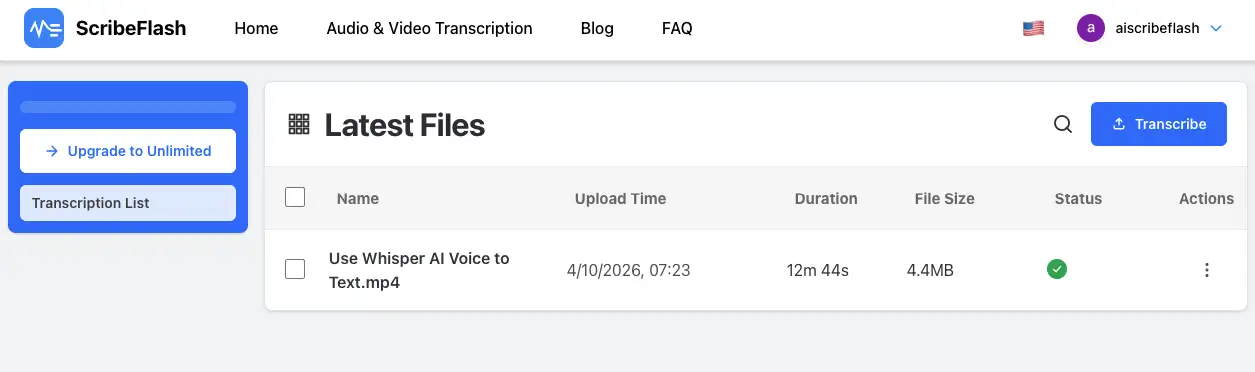
As file volume grows, a clean jobs list matters as much as transcription quality.
Who this is actually for
Unlimited tends to make the biggest difference when transcription is continuous, not occasional.
A researcher archiving interview rounds across months. A creator converting weekly YouTube recordings into drafts. A student transcribing every lecture before exams. A legal or operations team keeping searchable records from recurring calls. These are not edge cases. They are the everyday workloads this plan is meant to support.
The short version
ScribeFlash Unlimited is meant to feel boring in the best way: one plan, clear boundaries, and enough headroom to keep working when your file count spikes.
If you want to see whether it fits your own routine, visit ScribeFlash, then run a realistic test on the transcription workflow with the kind of content you handle every week.
Related guides
Keep the workflow moving
These guides stay close to the same use case, so you can move from one question to the next without jumping across unrelated pages.